Moonlight Patterns: A Versatile Digital Paper Set for Creatives
If you have ever started a craft project only to realize halfway through that your pattern tiles awkwardly or that the resolution simply does not hold up at print size, you already understand how much the right digital pattern set matters. Moonlight Patterns offers a thoughtfully designed collection of repeatable, high-resolution digital papers that can elevate everything from greeting cards to wallpaper. But even a great product can lead to frustration if you approach it without a clear understanding of what it can and cannot do. This article walks through the practical considerations that will help you get the most out of Moonlight Patterns, avoid common pitfalls, and use these patterns with confidence.
What Moonlight Patterns Offers and Why It Matters
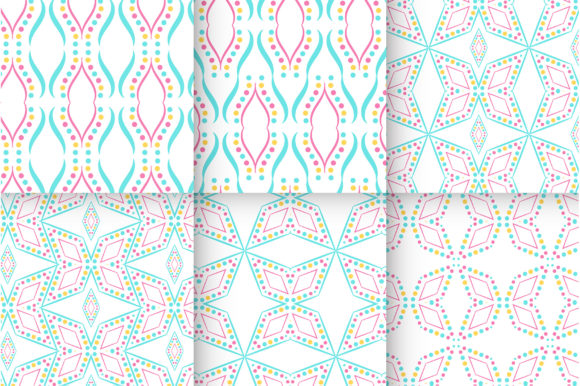
Moonlight Patterns is a digital paper set delivered as a ZIP file containing EPS, AI, and JPG formats. Each pattern is 1000×1000 pixels at 300 dpi, and the designs are fully repeatable. The EPS and AI files allow you to change colors, which is a feature many buyers overlook until they are stuck with a shade that does not match their project palette. Whether you design party invitations, wrap gifts, create scrapbook pages, or produce digital backgrounds for social media, this set gives you a flexible foundation. The catch? Its effectiveness hinges entirely on how you prepare and use those files.
1. Ignoring the Difference Between Raster and Vector Formats
One of the most frequent misunderstandings is treating the JPG and the EPS as interchangeable. The JPG is a raster image—fine for screens and many home printers, but it starts to pixelate if you scale it up significantly. The EPS and AI files, on the other hand, are vector-based. They allow infinite scaling without quality loss. If you plan to enlarge a pattern for a poster or wallpaper, relying solely on the JPG will produce a blurry, disappointing result. Always open the EPS or AI in a vector program like Adobe Illustrator or a compatible free alternative such as Inkscape when you need to resize dramatically. That way you preserve the crisp detail that makes the pattern shine.
2. Overlooking the Repeatable Pattern Feature
Moonlight Patterns are marketed as repeatable, but many users assume that simply copying and pasting the tile side by side will yield a seamless look. In practice, a truly seamless repeat requires the edges of the pattern to align perfectly. These digital papers have been designed to tile correctly, but you still need to set up your document properly. If you use the JPG directly without checking alignment, you might end up with visible seams. Open the file in your editing software, duplicate it, and align the edges using guides or the offset tool. When used correctly, the repeatability saves time and creates a polished, professional finish—mistakes occur when users skip this verification step.
3. Confusing Preview Mockups with Actual Product
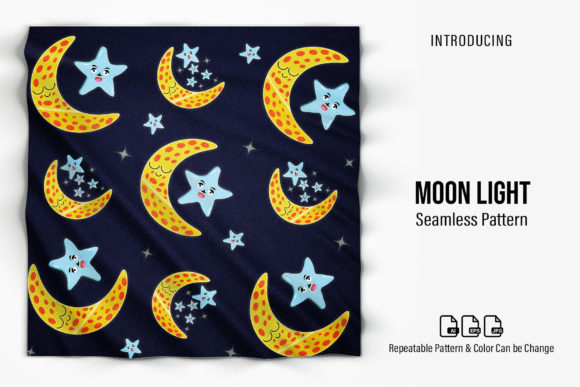
The product listing clearly states: “Preview image is for display example only, mockup is not included.” Yet it is surprisingly common for buyers to expect the styled scene (a framed print, a gift box with coordinated ribbon) to come with the download. This misunderstanding leads to disappointment and wasted time looking for files that were never part of the purchase. Before you buy, be certain that you understand exactly what you are getting—the patterns themselves, not the staging elements. If you need mockups for portfolio presentations, you will need to source them separately. Adjusting your expectation early prevents frustration and lets you focus on what the patterns can actually do.
4. Using the Wrong File Format for Your Software
A beginner might download the ZIP, open the JPG, and never explore the AI or EPS files. That’s fine for simple use, but it can limit your color flexibility. The real power of Moonlight Patterns lies in the ability to change colors—something that is only truly straightforward with the vector files. If you are using a program like Canva or a basic image editor that does not support layers or vector paths, you will be stuck with the originals. Professionals who work in Adobe Photoshop may prefer the layered approach, but even they benefit from the AI file for global color edits. Check your software’s compatibility before downloading. If you cannot open EPS or AI, consider switching to a free vector editor or asking a friend to convert them for you.
5. Neglecting Resolution for Intended Output
At 1000×1000 px and 300 dpi, each pattern tile is roughly 3.3 inches by 3.3 inches at print quality. That is plenty for greeting cards, gift tags, and small party accessories. But if you plan to wrap a large present or decoupage a piece of furniture, a single tile is too small. You will need to repeat the pattern across the surface. The common mistake is to stretch the single tile to fit, which drops the effective resolution and results in a fuzzy image. Instead, duplicate the tile multiple times in your layout software—many programs allow you to create a tiled background from a small image without losing resolution. For wallpaper or large-format projects, consider using the vector EPS that can be scaled without degradation.
6. Forgetting to Test Prints on Your Own Equipment
Colors on screen rarely match printed colors exactly. A pattern that looks softly silver-gray on your monitor might print with a bluish cast on a particular inkjet printer. Many small business owners and hobbyists skip a test print and then discover they have fifty mismatched invitations. Always print one sample page on the paper you intend to use before committing to a full run. Because Moonlight Patterns include editable color files, you can adjust hues to compensate for your printer’s tendencies. Keep a log of the color values that work best for your specific combination of printer, paper, and ink.
What to Check Before You Download or Use Moonlight Patterns
Before you purchase, take a moment to confirm your software can handle at least one of the vector formats. If you only have access to basic photo viewers, you will still be able to use the JPG, but you will lose the ability to recolor. Consider your project’s scale: will 1000×1000 px be sufficient, or do you need a larger tile? The set is optimized for small-to-medium crafts, not oversized wall murals unless you tile them properly. Also review the license terms if you intend to sell products using the patterns—some digital paper sets have restrictions on commercial use. Assuming all is open is a risk that can cause legal headaches later.
Better Approaches for Different Users
For beginners: Start with the JPG for a simple greeting card. Open it in your favorite editing program, resize it to fit, and note how the repeatability works. Once you feel comfortable, experiment with changing the color in the EPS file using a free tool like Inkscape. This builds skill without wasting time on complex setups.
For professional designers: Import the AI file directly into Illustrator. Use global swatches to adjust the palette instantly to match a client’s brand. Layer the pattern with text or vector ornaments to create unique stationery sets. Because the file is well-structured, you can also use it as a basis for more elaborate pattern variations without starting from scratch.
For small business owners: Use the repeatable nature to create consistent branded gift wrap or packaging. Print a small run of patterned tissue paper using a local print shop, supplying the EPS file to guarantee crisp results. Make sure to provide the file at 300 dpi and specify the dimensions needed—don’t assume the shop will handle scaling correctly.
Getting the Most Out of Your Pattern Set
Moonlight Patterns is more than a collection of pretty backgrounds; it is a flexible resource that rewards thoughtful preparation. The two-step habit—first verify file type compatibility, then test print on real media—will save you from the majority of craft and design mishaps. When you leverage the vector files for color changes and use the repeat feature correctly, you unlock a level of customization that stock paper simply cannot match. Avoid the common mistakes of ignoring format differences, misinterpreting the preview, and skipping test prints, and you will find these patterns become a reliable part of your creative toolkit.
Whether you are making party invitations for a child’s birthday, assembling product packaging for a new Etsy shop, or designing digital wallpapers for a blog, taking a few minutes to plan how you will use the EPS, AI, and JPG files will pay off in smoother workflows and more polished results. The patterns are there to serve you—treat them with the same care you would give any professional tool, and they will deliver every time.